
annual assessment calculator
Welcome! This tool will help you estimate your property’s annual assessment under the proposed Northside Improvement District.
You do not need to be a property expert to use this calculator! Follow the steps carefully, one at a time. If something doesn’t look right to you, we’ll show you how to double-check your numbers. Remember: you can always contact us to confirm your assessment or ask for help.
how to use the calculator
Your Annual Assessment will be calculated based on one or two pieces of information about your property: Residential properties will only use one factor (Market AV); commercial or mixed-use properties will use two factors (Market AV + CSF).
before you begin: have your numbers ready!
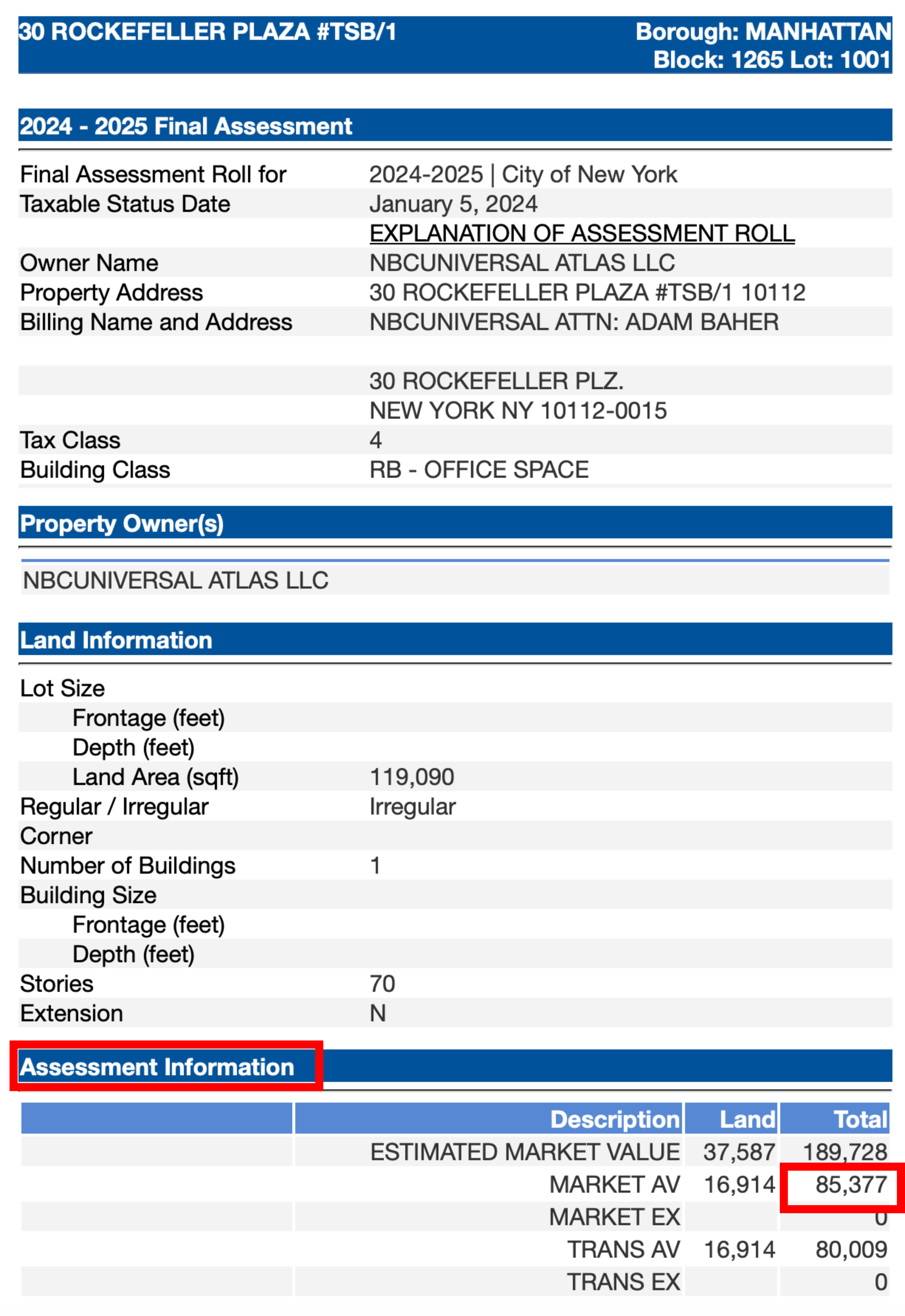
1. find your 2024-2025 market av
A. Search your property in the DOF property search (button below.
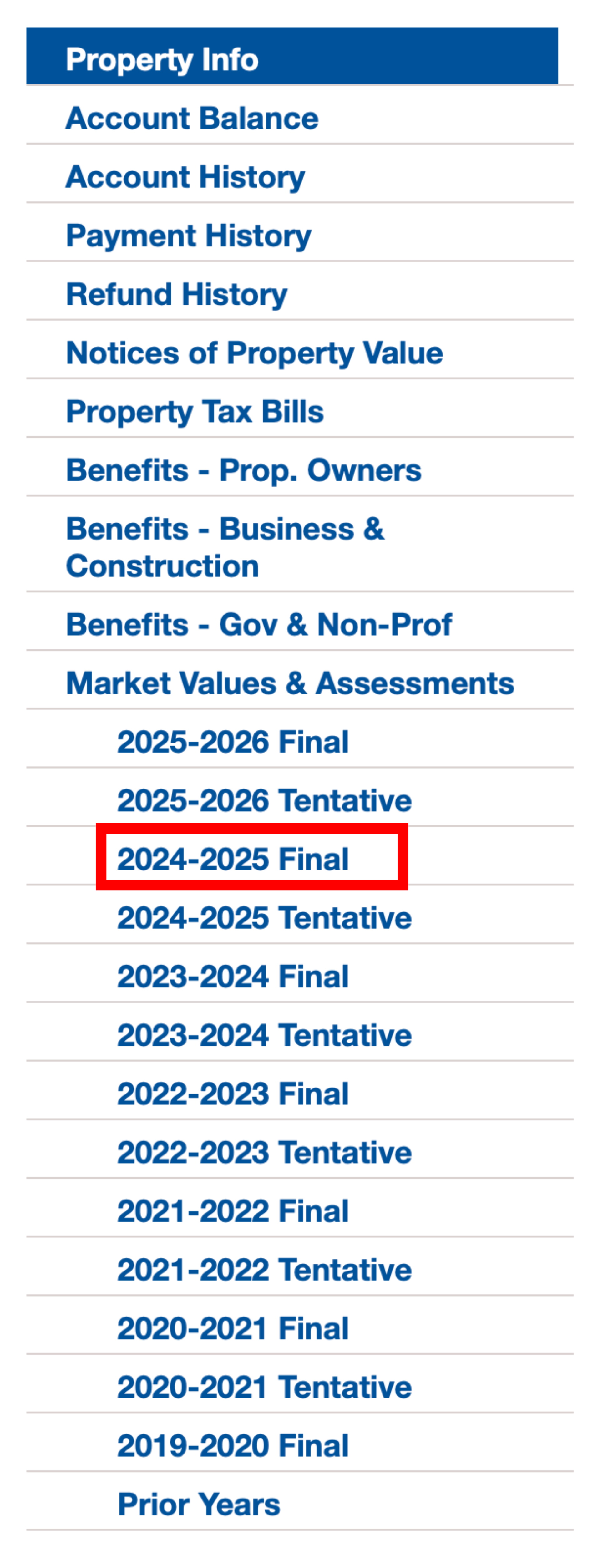
B. Look under “Market Values & Assessments”
C. Click on “2024-2025 Final”
D. Look under Under “Assessment Information”
E. “MARKET AV” — TOTAL: that’s your AV!
2. find your commercial square footage
(only applicable to commercial/mixed-use properties)
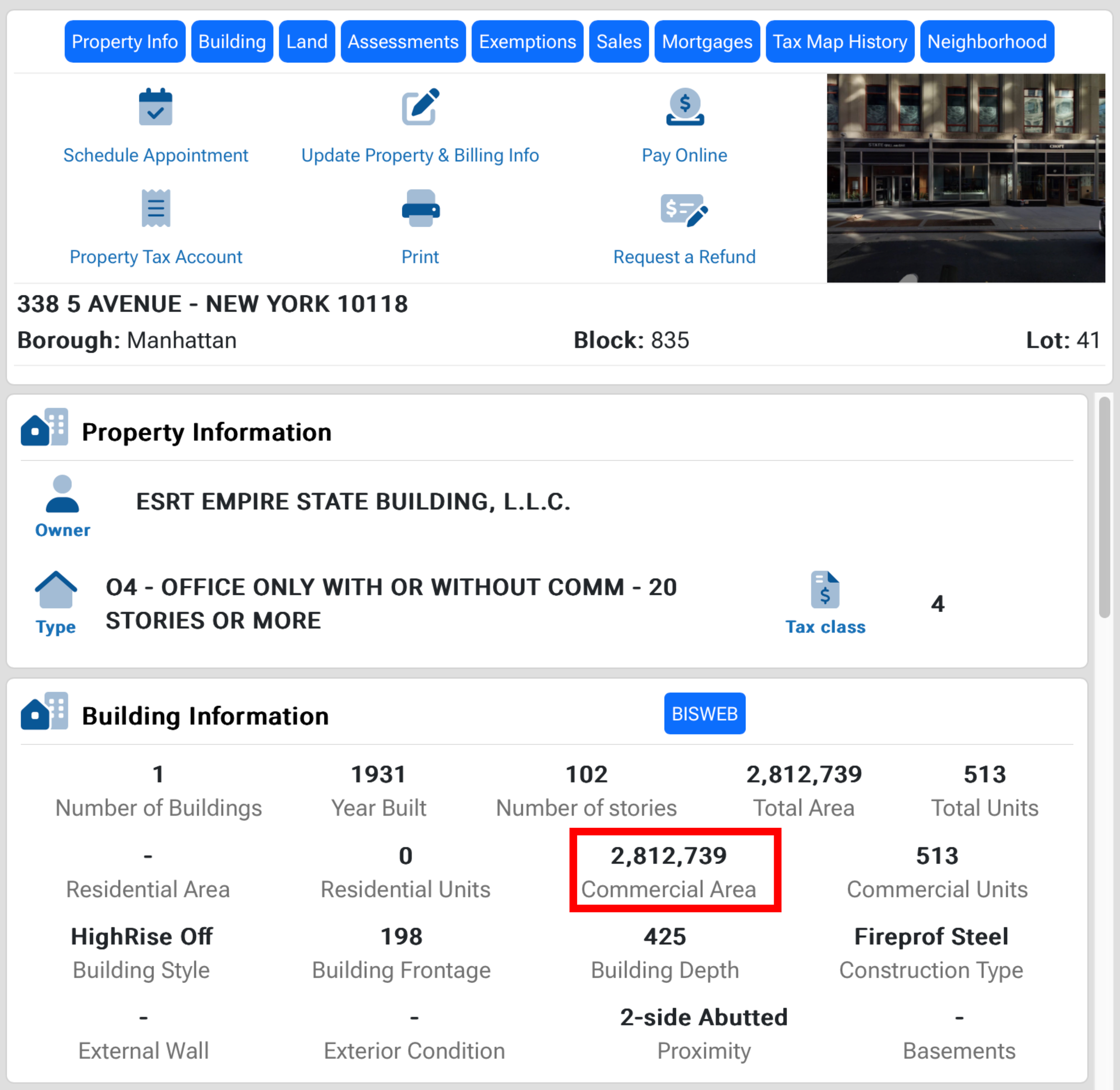
A. Search your property in the Property Information Portal. You can search by Borough, block, and lot, or by address in the dropdown (button below).
B. Scroll to “Building Information” section.
C. Find the “Commercial Area” number: that’s your CSF!
NOTE: “Factory Square Footage” as defined by DOB is not counted in this assessment. If your building contains industrial space, contact us for your accurate assessment, which may be lower.
Ready to begin?
Here’s a step-by-step guide.
Step 1: Check your property type
Residential only: No business or commercial activity on site (e.g., condos, apartments).
Mixed-use: Has both residential and commercial space (e.g., a store on the ground floor with apartments above).
Commercial only: Fully commercial space (e.g., retail, hotel, parking lot.)
(If you’re unsure, look at your building type on the Property Information Portal.)
This distinction determines your base fee.
Step 2: Enter Your 2024-2025 market assessed Value (AV)
(All properties must enter this number). This number will be divided by ~500 and added to the result.
Step 3: Enter Your Commercial Square Footage (CSF)
(Only mixed-use or commercial properties should enter this number. Exclude industrial square footage, if applicable.) This number will be divided by ~4 and added to the result.
Step 4: Double-Check Your Result
If your result seems unexpectedly high or low, please re-check your numbers or reach out for help. (For example: a residential-only property should not be more than $600/year per unit at the maximum assessment)
important footnote:
The formula is based on the maximum BID budget, which does not rise year-over-year with neighborhood Market Values and Assessed Values!
The current formula is based on 2024-2025 data. When the BID is formed, assessment numbers will have shifted slightly to account for major property changes in the neighborhood. The maximum BID assessment is set and will not grow year-over-year with rising property values. If a property undergoes a large-scale transformation (such as construction or demolition), causing its Assessed Value to shift drastically in comparison to other properties, that property’s assessment will go up or down to account for the change. Since the maximum BID assessment is fixed, other assessments will adjust slightly in the opposite direction.
the calculator
The Formula
Your estimated Maximum Assessment would be the sum of:
Base Fee
$20 for residential properties
$200 for mixed-use properties
$500 for commercial-only, hotel, or vacant/parking properties
2024/5 Total Market AV x 0.002040115377
Commercial Square Footage x 0.2649018168